


Last updated: January 2026
What Is Logome.ai?
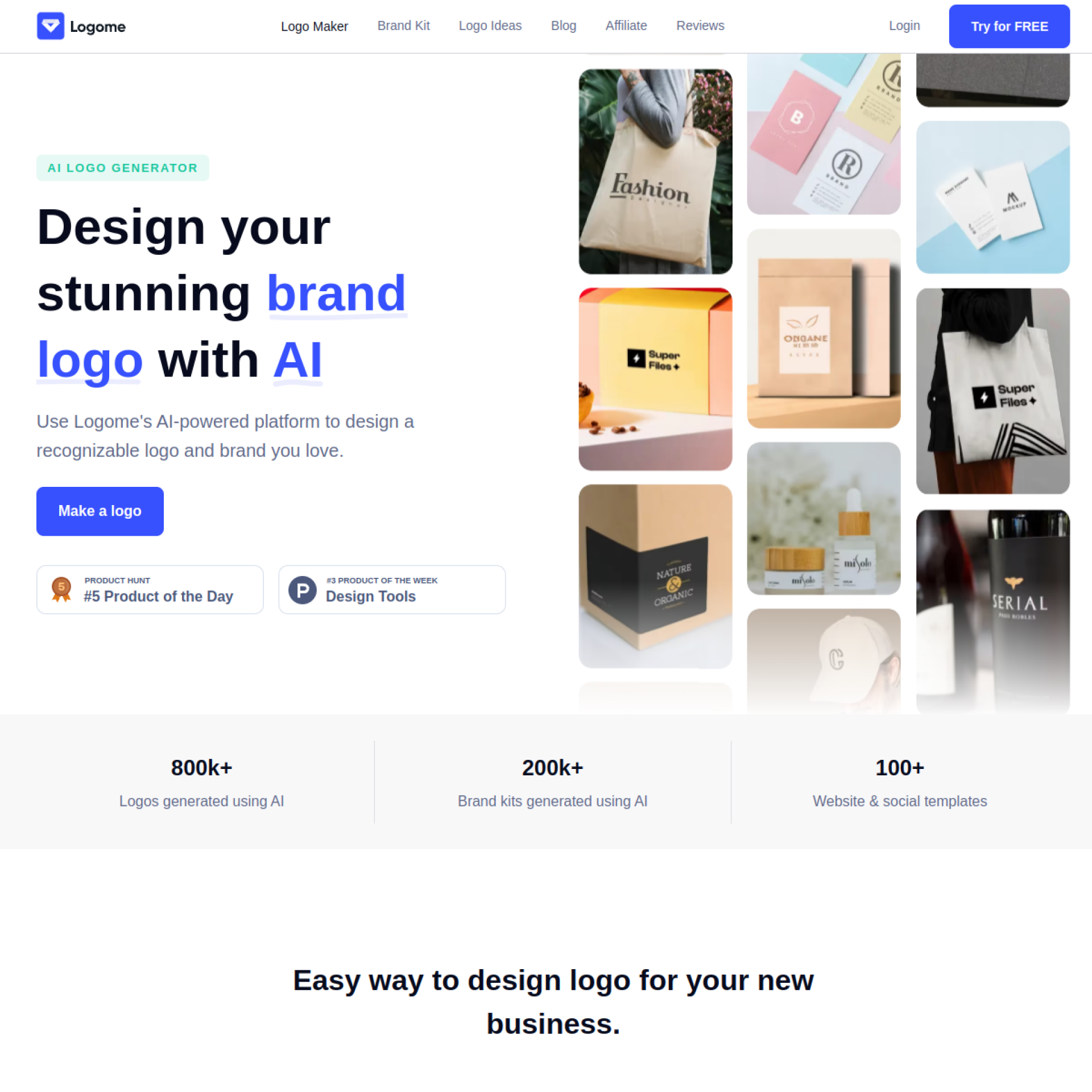
Every business needs a logo, but professional design costs hundreds or thousands of dollars—prohibitive for startups, side projects, and small businesses. Logome.ai is an AI-powered logo generator that creates professional logo designs in seconds, turning business names and preferences into ready-to-use brand identities at a fraction of traditional design costs.
The platform uses artificial intelligence to understand design principles, industry conventions, and aesthetic preferences, generating logo options that would take human designers hours to conceptualize. Users enter business information, select style preferences, and receive dozens of unique logo concepts to choose from and customize.
For entrepreneurs, startups, and small businesses who need professional branding without designer budgets, Logome.ai democratizes logo design.
[cta text="Create Your Logo Now"]Key Features Explained
AI Logo Generation
Enter your business name and select industry, style preferences, and colors. AI generates dozens of unique logo concepts within seconds. Each logo is original—not templates with swapped text.
Style Customization
Specify preferences: modern or classic, playful or serious, minimal or detailed. AI interprets style direction and generates appropriate designs. Refine results with additional guidance.
Logo Editor
Customize generated logos directly. Adjust colors, fonts, layouts, and elements. Fine-tune designs without starting over. Preview changes in real-time.
Multiple Variations
Each generation produces multiple concepts and variations. Compare options side-by-side. Different directions for the same brand.
File Formats
Download logos in formats needed for different uses: PNG for web, SVG for scalable graphics, PDF for print. High-resolution files ready for professional use.
Brand Kit
Beyond logos, generate matching brand assets: social media profiles, business cards, letterheads. Consistent branding across touchpoints.
Unlimited Generations
Generate as many options as needed. Keep generating until you find the right direction. No per-generation limits.
[cta text="Create Your Logo Now"]Pricing (2026)
Free — Generate logos and preview results. Download requires purchase.
Basic — One-time purchase (~$30-50) for single logo with standard file formats.
Premium — Higher one-time purchase for full brand kit, all file formats, and commercial license.
Subscription — Monthly options for agencies and users needing multiple logos.
Pricing model may vary. Check current offerings for specific rates.
Who Uses Logome.ai?
Startups
New businesses needing brand identity quickly and affordably. Get professional logos without delaying launch.
Side Project Founders
Developers and makers launching products need logos but don't want to spend on design.
Small Business Owners
Local businesses, freelancers, and solopreneurs establishing professional presence.
Content Creators
YouTubers, podcasters, and influencers creating channel branding.
Marketing Teams
Quick concepts for campaigns, events, and sub-brands without design team bottlenecks.
Pros and Cons
What We Like
Genuinely fast—logos in seconds
Dramatic cost savings vs professional design
Multiple concepts to choose from
Customization editor for refinement
Professional-quality output
Simple, intuitive process
What Could Be Better
Less creative range than human designers
Some outputs feel generic
Complex concepts may not translate well
Limited revision capability compared to working with designer
Not suitable for enterprise rebrand projects
Logome.ai vs. Alternatives
vs. Hiring a designer: Designers offer custom strategy and unlimited revision; Logome.ai offers speed and affordability. Choose based on budget and brand importance.
vs. Canva: Canva offers templates you customize; Logome.ai generates original designs. Different approaches to similar needs.
vs. Looka: Similar AI logo generators. Compare output quality and pricing for your specific style preferences.
vs. Fiverr logos: Fiverr offers human designers at low prices. Quality varies. Logome.ai provides more consistent, faster results.
Tips for Best Results
Be specific about style: Clear preferences produce better-matched results than generic inputs.
Generate multiple times: Each generation produces different concepts. Keep generating until you find the right direction.
Use the editor: Don't settle for raw output. Customize colors, fonts, and arrangement.
Consider context: Preview logos at different sizes and on different backgrounds.
FAQ
Are AI logos copyrightable?
AI-generated content copyright law is evolving. Logome.ai provides commercial licenses; trademark protection may require legal consultation.
Can I trademark an AI logo?
Generally yes, but trademark registration requirements vary by jurisdiction. Consult trademark attorney for specific guidance.
What if I don't like any options?
Generate again with different preferences. Unlimited generation means keep trying until satisfied.
Can I edit after download?
SVG files are editable in vector software. PNG files have limited editability. Plan your needs accordingly.
Final Verdict
Logome.ai represents the practical application of AI to democratize professional design. For businesses where branding matters but budgets are limited, the platform delivers genuinely useful results at accessible prices.
The output won't match custom work from talented designers, but for many businesses, it doesn't need to. Logome.ai provides professional-enough branding to launch and grow, with option to upgrade later when budgets allow.
Rating: 4.0/5




.png)